
Other than being hugely tedious coding up roughly 1,792 op codes it was fairly simple (the op code DAA was fun though!) to write the emulator, the only resources I needed were:
- Rodnay Zaks Programming the Z80
- Zilogs Z80 reference
- Sean Youngs ‘The Undocumented Z80 Documented‘
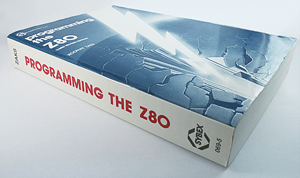
I had used Zaks as my main reference but in hindsight I should have started with Sean Young’s document, this document I found when the emulator was almost complete and it corrected much of the CPU flags that were poorly documented in Zaks book, so I had to go back and make all the changes (Sob!).
The emulator code was written in pure C# not using any XNA/MonoGame and the main UI was written in XNA/MonoGame, the core emulator remained untouched between versions.
For each possible Z80 op code I used a C# function pointer to jump directly to the emulator code, it was all very simple.
I wrote the code for each function across (rather than down), e.g. putting all the function statements on a single line, most developers would recoil in horror at this!!! However it made sense in this case (and probably only this case).
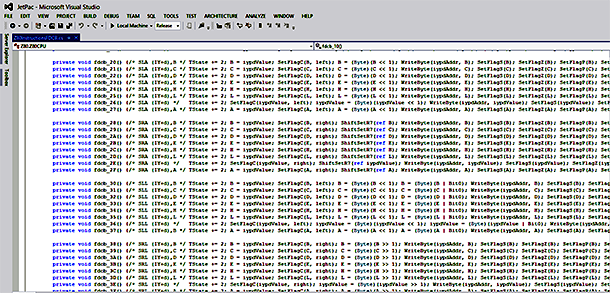
Most displays today are at least 1080 pixels across and there was a huge amount of repetition in the code so it made it far easier to both navigate the code and to spot inconsistencies… however the main reason for the ‘function on a line’ approach was because I’d used PowerShell to write most of the C# code and I didn’t want to include white space.
Once I had finished I was in a position to re-factor out all the repeating code via PowerShell, however I liked the fact that each function was standalone and made debugging and readability easier (albeit at the cost of maintainability) so I left it alone.
So I was writing PowerShell script to create C# code for a Z80 Emulator that would run on a Windows Phone 7 emulator that was running on Windows 7 PC 😎